
IRS2Go Redesign —
making tax filing less painful for everyone
The problem — an app that sends you elsewhere
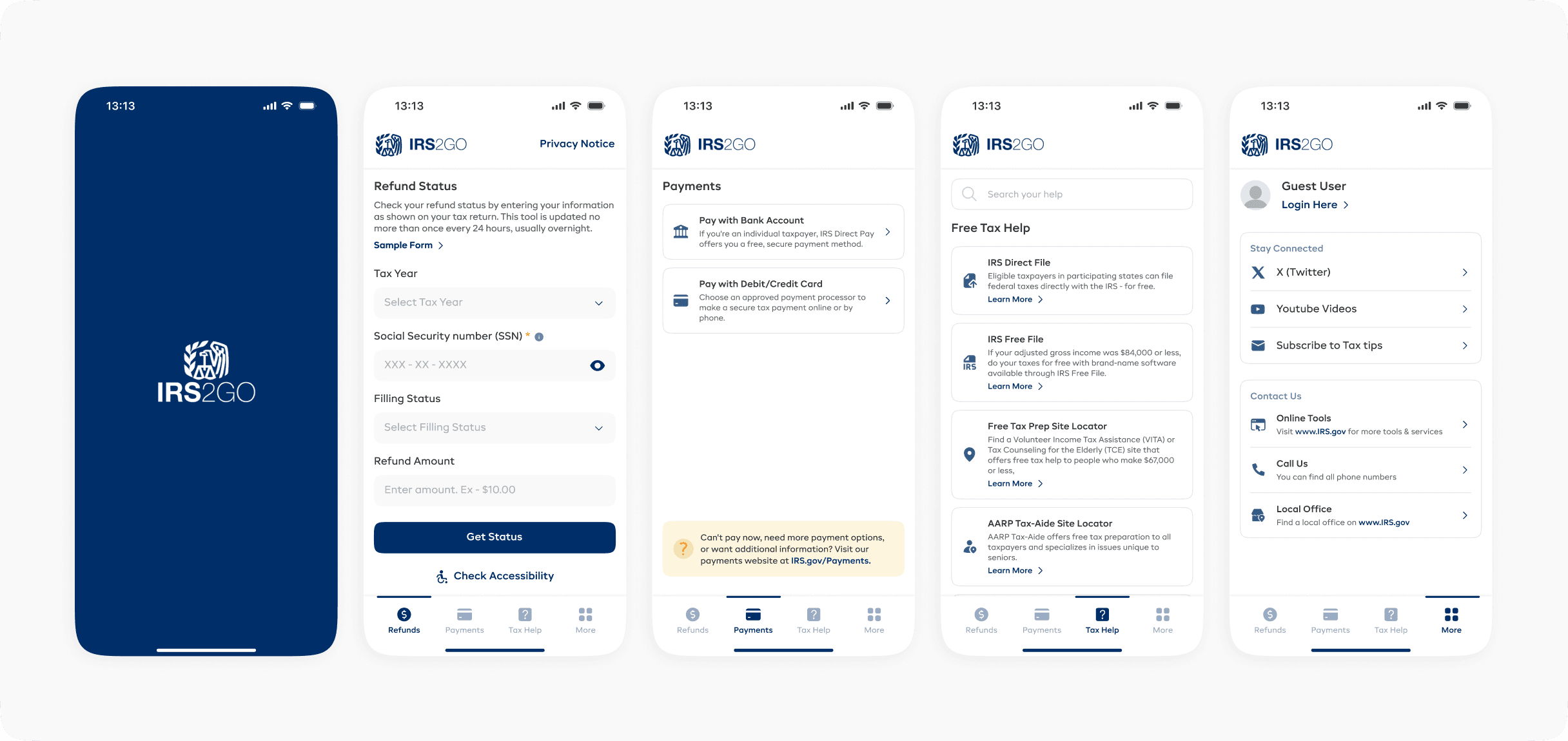
Imagine opening a government app to check your tax refund, only to be redirected to a website every single time you try to do anything. That was IRS2Go. Five screens. Nearly zero functionality built in. Users had to re-enter their SSN and tax year on every visit because nothing was saved.
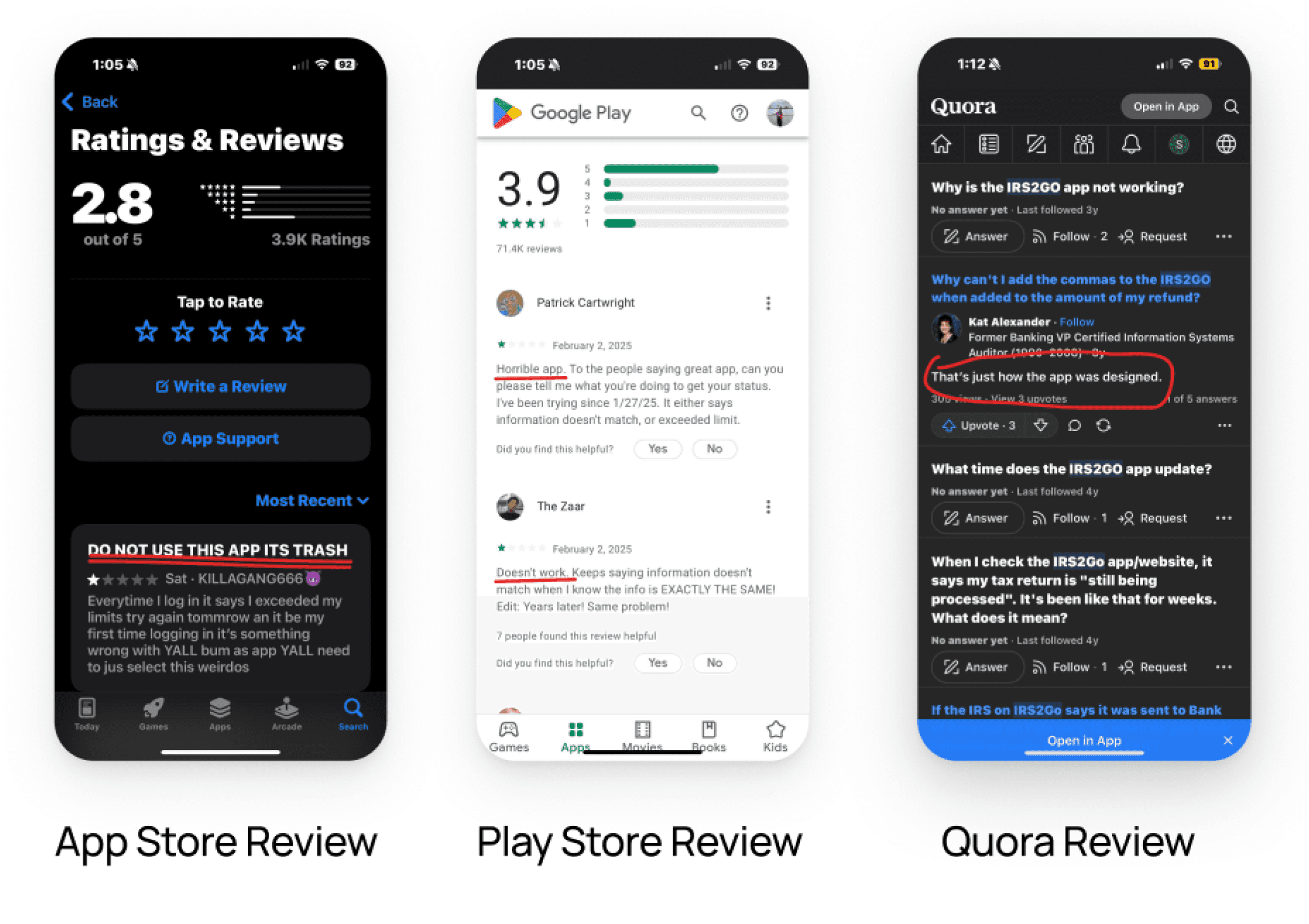
Reviews told the story clearly: "Do not use this app, it's trash."
The 2.8/5 App Store rating wasn't just about aesthetics — people felt the app was wasting their time.
How we approached it
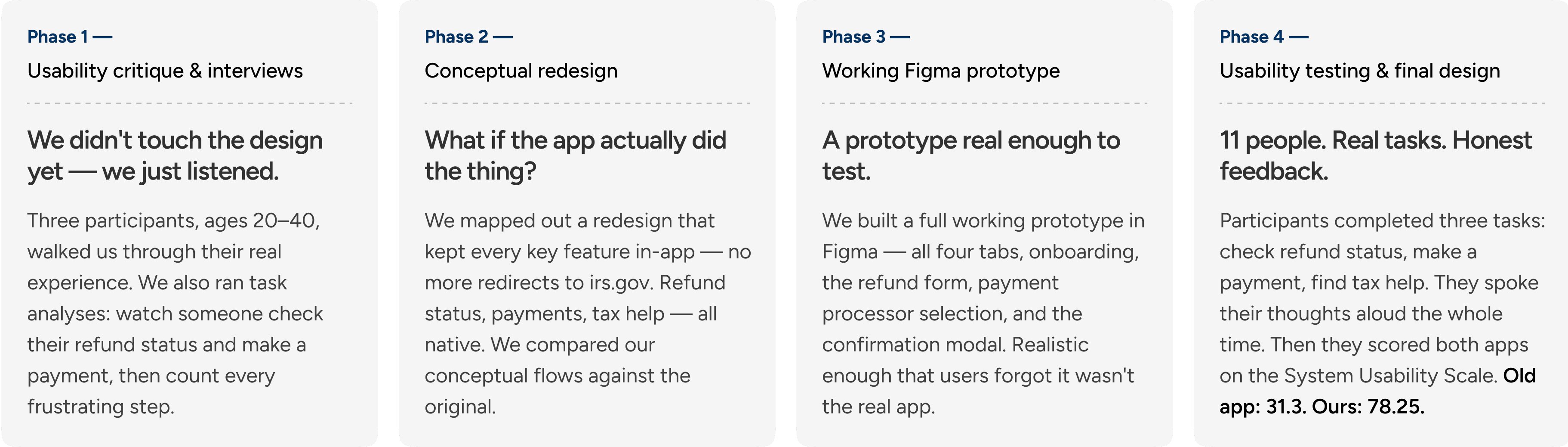
We didn't start by redesigning screens. We started by actually talking to people who use the app to file their taxes.
What users actually told us
Three participants, ages 20–40, walked us through their experience. The feedback was consistent: re-entering information every session was exhausting. The redirects made the app feel pointless. And nobody had any idea what the app was actually capable of — because there was no onboarding.
"Frequent redirections to the IRS site make the app feel incomplete.
Re-entering info each time was frustrating and time-consuming."
— Participant 3, age 25–30
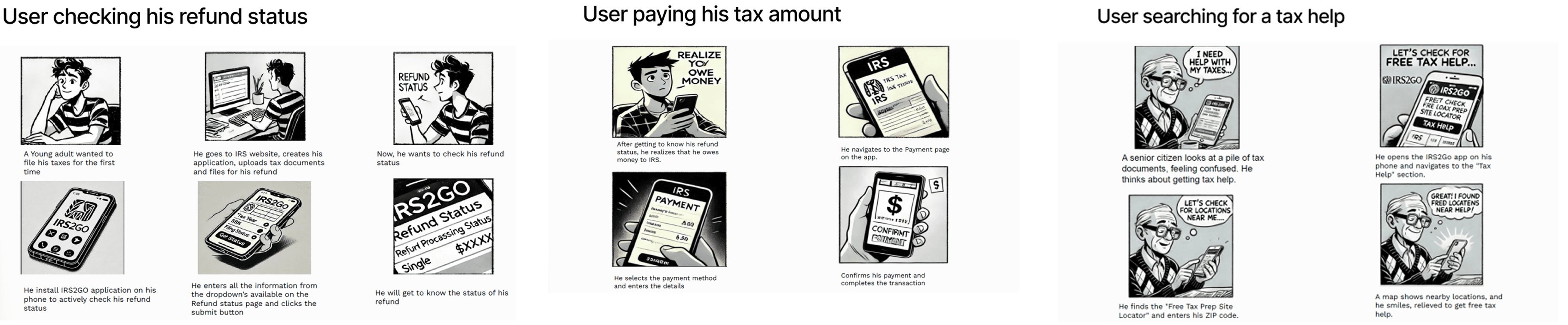
We also ran two task analyses — checking refund status and making a payment. Both required navigating external IRS pages, scrolling through unformatted instructions, and clicking through multiple embedded URLs before anything actually happened.
The redesign — bringing everything in-app
The core design decision was simple: stop redirecting people. Every key task — refund status, payments, tax help — needed to live inside the app.
01
Refund status
Saved inputs, masked SSN, one-tap year selection — no more re-entering everything from scratch
03
Tax help
Replaced a long link list with a focused FAQ accordion and a "still need help?" request form
02
Payment screen
Fee comparison between processors shown in-app — no redirect to irs.gov needed
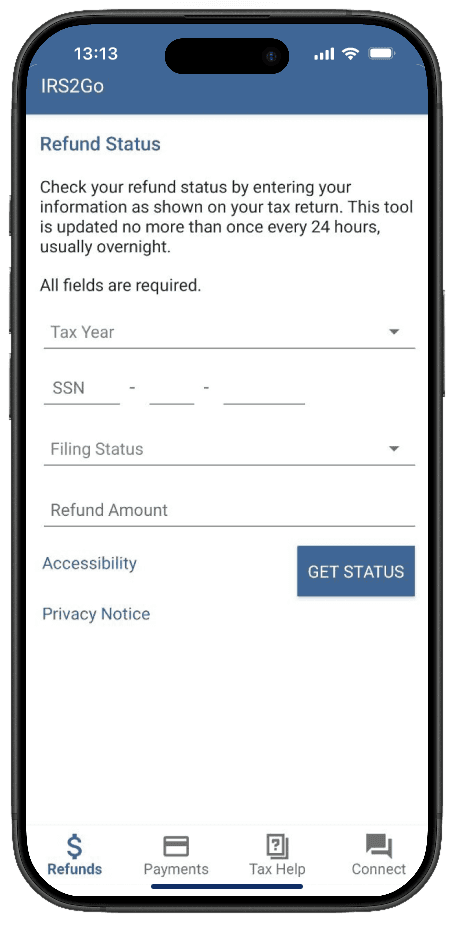
Before
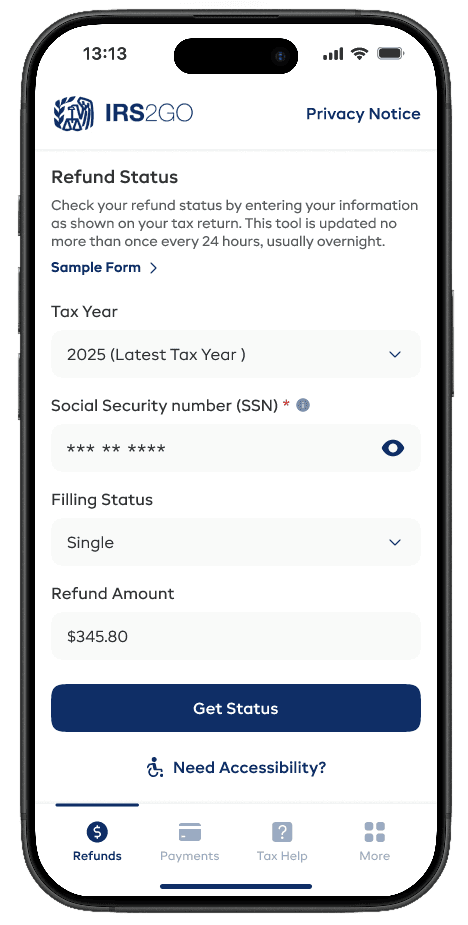
After
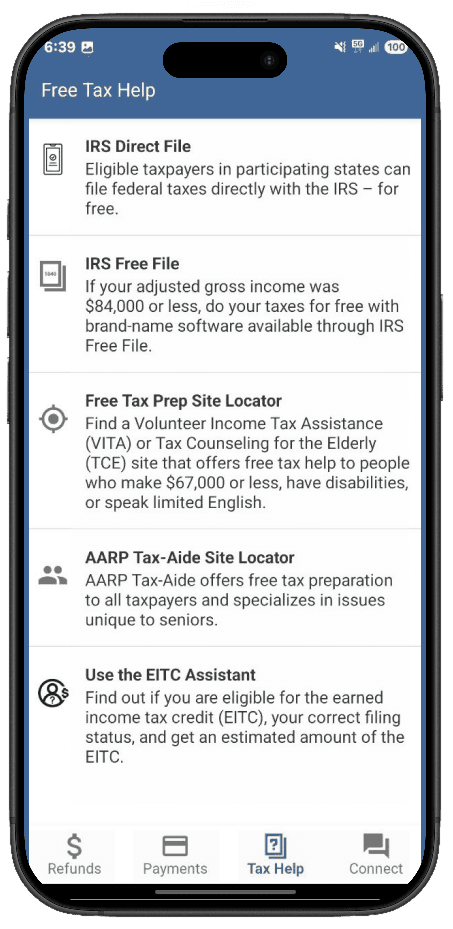
Before
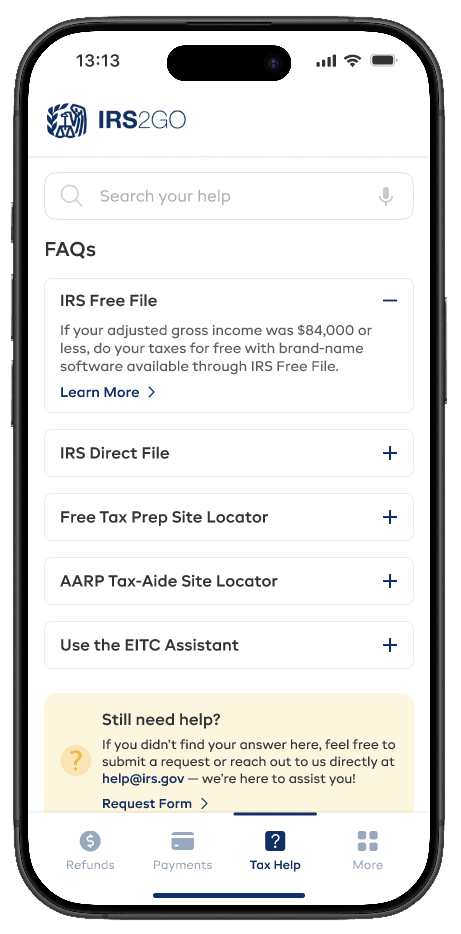
After
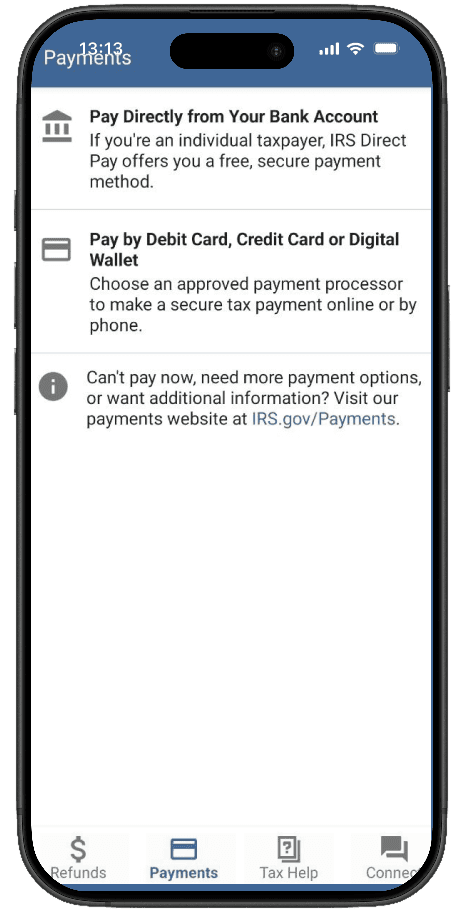
Before
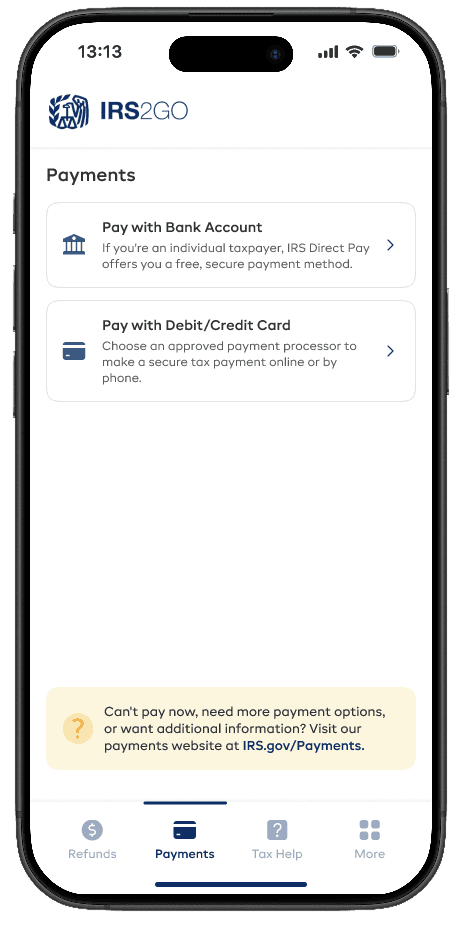
After
Testing with 11 real users
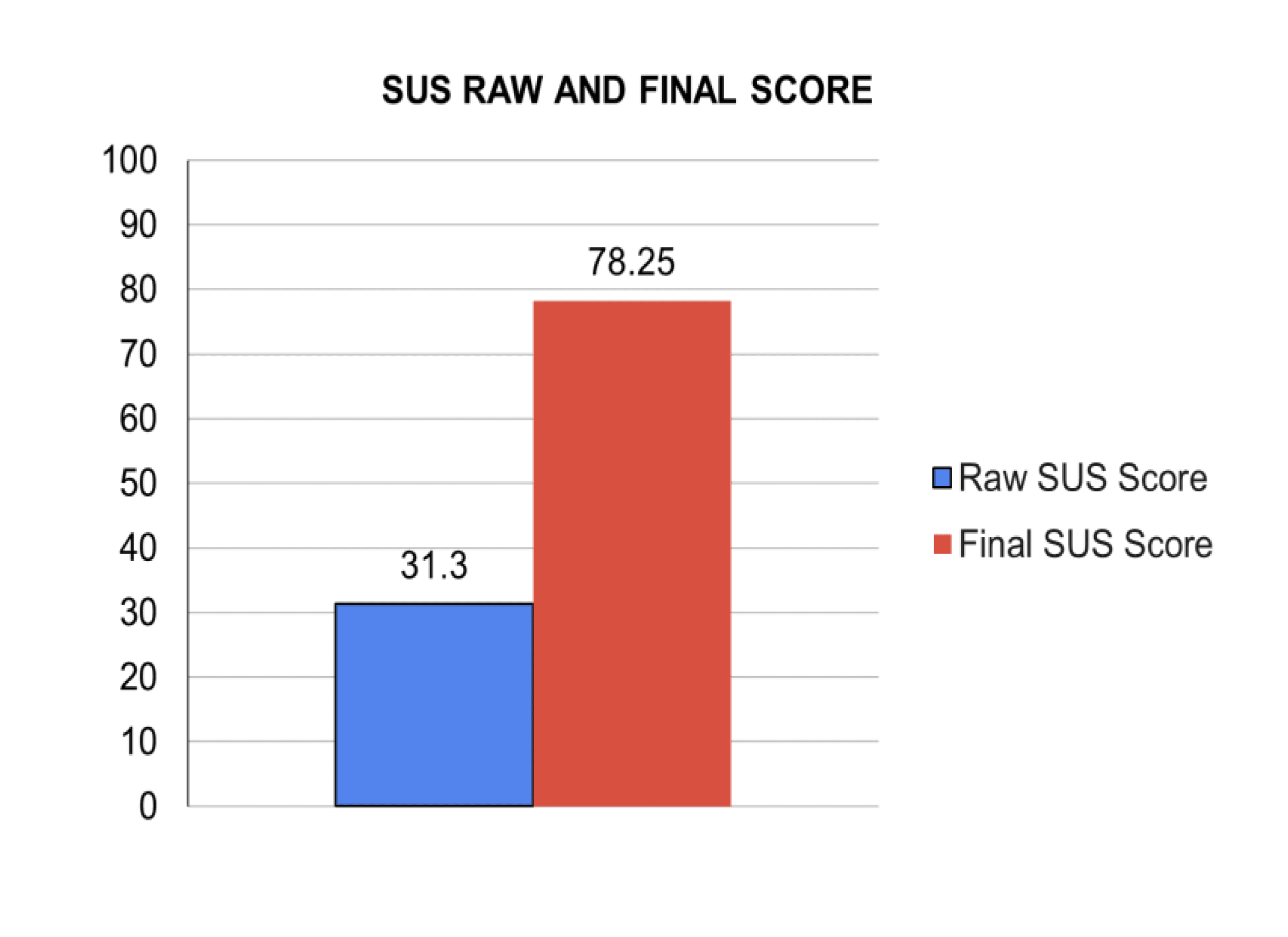
We tested both the old app and the new prototype with 11 participants, ages 16 to 65 — students, working professionals, first-timers. They spoke their thoughts aloud while completing three tasks, then rated usability on a standard 10-question scale.
The old app scored 31.3. Our redesign hit 78.25.
We had set 75 as the target — the team cleared it.

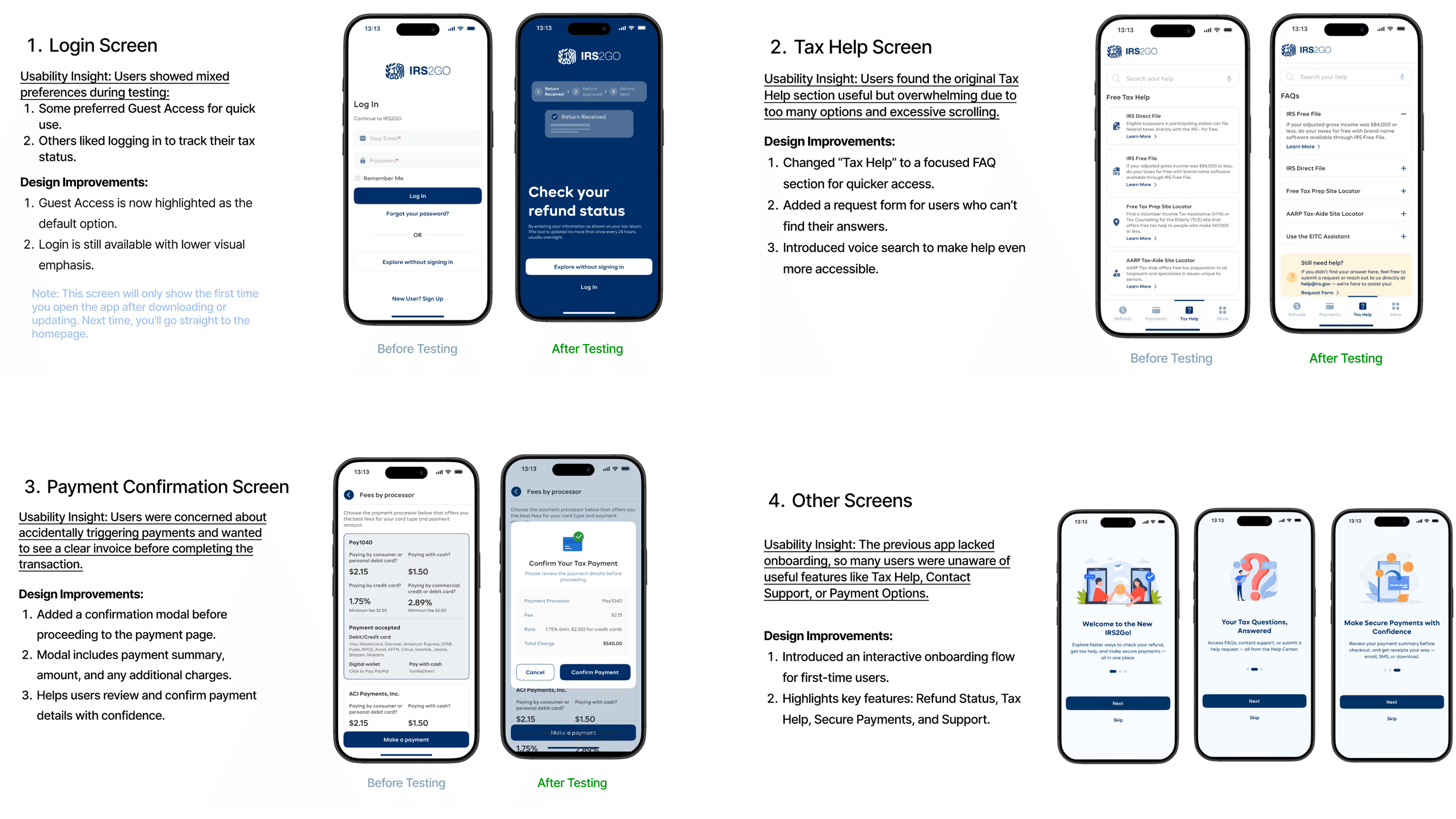
Final changes after testing
Testing changed real things. We didn't just polish — we rethought screens based on what we saw people struggle with.
What I took away from this
The biggest insight wasn't about UI patterns — it was about trust. Every time the app sent users to an external site, it was silently saying "we can't handle this." Bringing those flows in-house, adding a confirmation step before payments, reducing how much users had to remember — these weren't big features, but they changed how people felt about the product entirely.
If we continued, the next focus would be the sign-up flow (our biggest remaining drop-off point) and inline field validation — so users know something's wrong before they hit submit.
Clickable Prototype